How to Build a Live Leaderboard With an API
How to build a live leaderboard with an API - push scores programmatically and display real-time rankings without building the frontend yourself.
Build vs. buy
You can build a live leaderboard from scratch - a database, a real-time layer (WebSockets), ranking queries, and a frontend that re-sorts smoothly. It's a surprising amount of work to do well. Or you can push scores to a leaderboard API and skip the frontend entirely. This guide covers both, and when each makes sense.
What a leaderboard API needs to do
- Accept score updates - create and update entries by name or ID
- Rank automatically - sort entries server-side
- Push updates in real time - so every viewer sees changes live
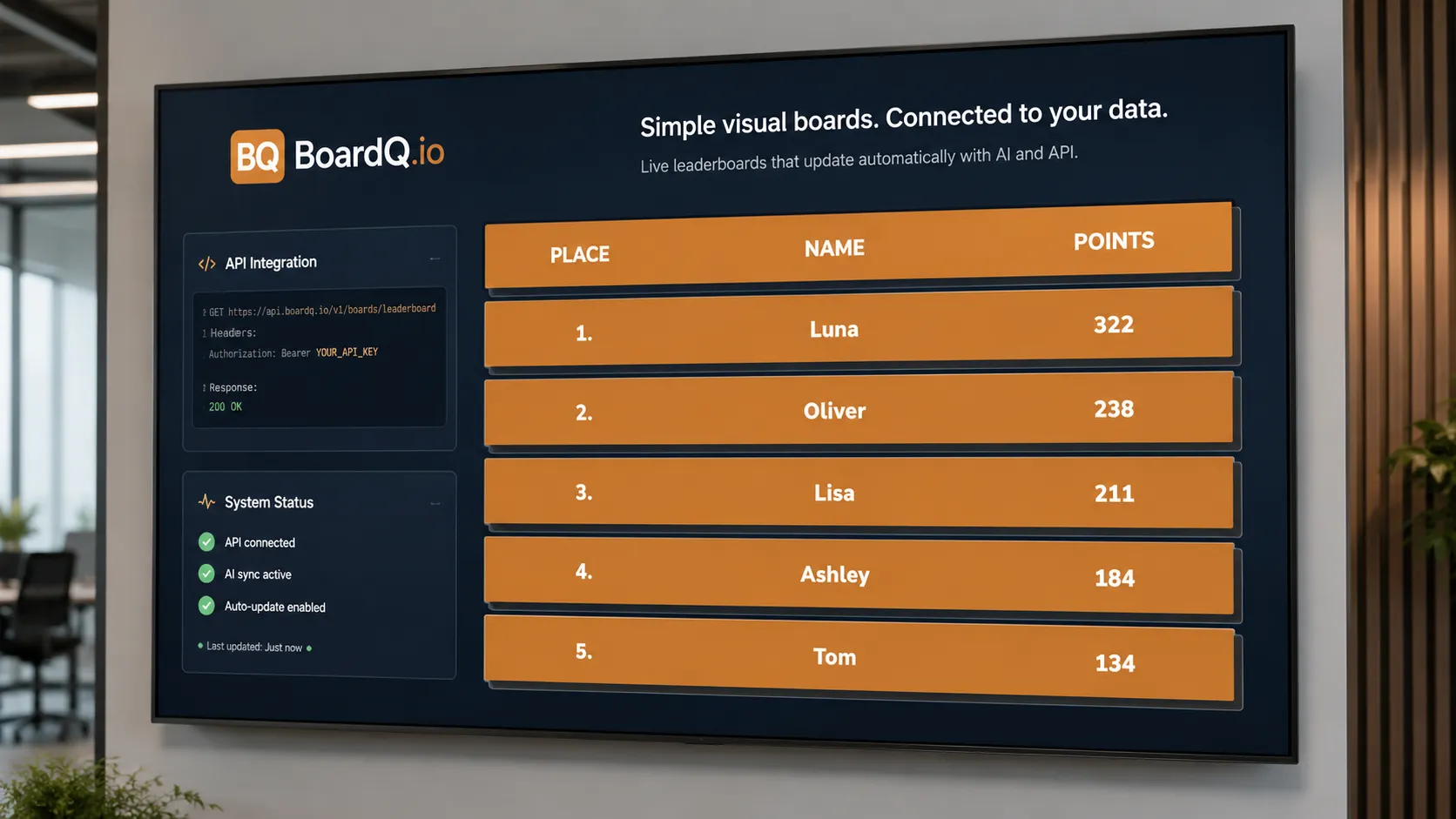
- Expose a display - a hosted view or data you can render yourself
The fast path: use a hosted leaderboard API
With BoardQ you create a board, then POST score updates from your code. The hosted board handles ranking, real-time sync, and a polished display on any screen - so you write a few API calls instead of a whole app.
- Create a board and grab its ID and API key
- POST participant scores from your backend or a script
- Open the board URL on any screen - it updates live
Pushing scores
A typical update is a single authenticated request with the participant and their new score. Call it whenever your data changes - on a cron, a webhook, or an event in your app. The board re-ranks and refreshes for every viewer automatically.
When to build your own
Roll your own only if you need deep custom logic, must keep all data in-house for compliance, or are embedding scoring deep into your product's core. For everything else - events, sales, classrooms, side projects - a hosted API gets you live in an afternoon.
Get started
Skip the boilerplate and push your first score in minutes. See the BoardQ API → For specific patterns, see common API use cases and examples.
Wire your data into a live leaderboard
Push scores from any tool over a REST API or webhook and display real-time rankings on any screen. Free to start.
Explore integrations →