We use cookies (and other similar technologies) for many purposes, including to improve your experience on our site and for ads and analytics.
Turn your Salesforce data into a live leaderboard.
Fire a Flow on Opportunity Closed Won and BoardQ puts revenue, deals closed and activities logged on a real-time board on every office TV. No managed package, no sync job - just a webhook from the Salesforce you already run. Only the score you push ever leaves your org.
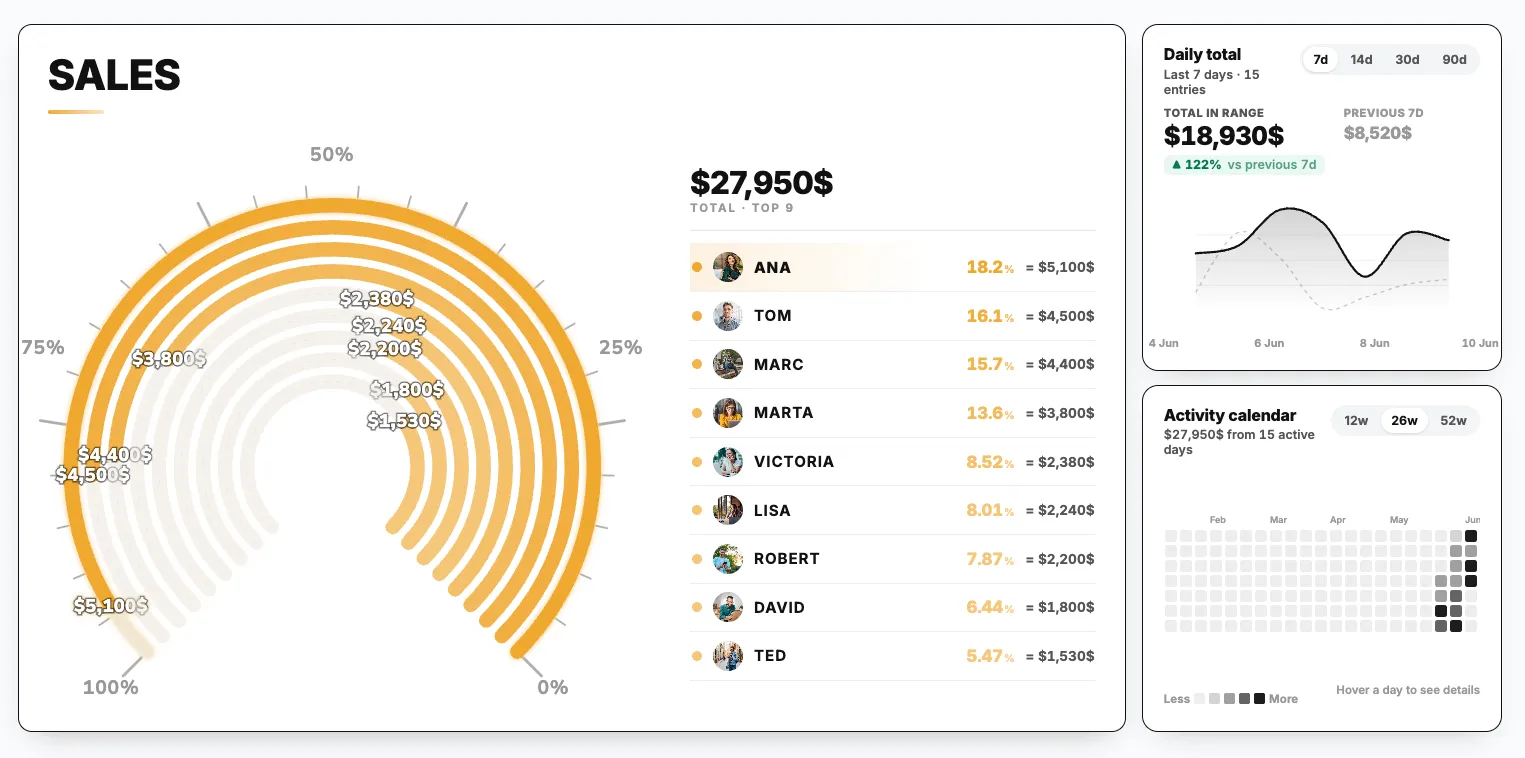
The pipeline lives in Salesforce. Nobody watches it.
Reports and dashboards have the numbers, but they sit behind a login nobody opens between calls. Let Salesforce push the one number that matters straight to a board on the wall - and watch the floor react the moment a deal closes.
Your CRM data, visible at last
The revenue is already in Salesforce. A live board turns that same Opportunity Amount into a public race instead of a report nobody runs.
One field, not a dashboard
Pick exactly what fires the board - Amount, a deal count, or activities logged - and let the leaderboard do the coaching no Salesforce report ever could.
Closed Won, celebrated live
The instant a Flow flips an Opportunity to Closed Won, the rep bumps up the board on the office TV - in front of the whole team, with no manual update.
Every rep re-ranks the second an Opportunity closes.
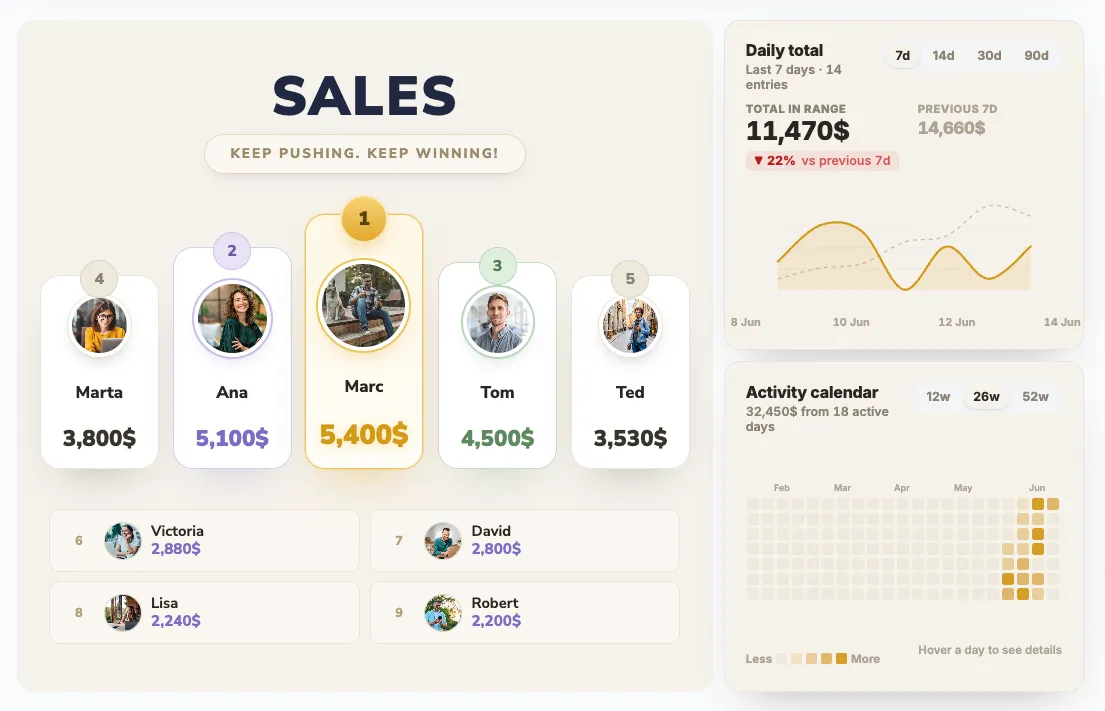
Each rep gets a bar sized by the number your Flow pushes - closed revenue, deals won, activities logged. When Salesforce marks a deal Closed Won, the webhook fires and the leader pulls ahead live, big and readable from across the sales floor.
- Rep photos on every bar, leader pulls ahead live
- Driven by your Salesforce field - Amount, deals, activity
- Quarter-over-quarter deltas with trend arrows
- Dark theme tuned for large office displays
Quota progress that matches Salesforce in real time.
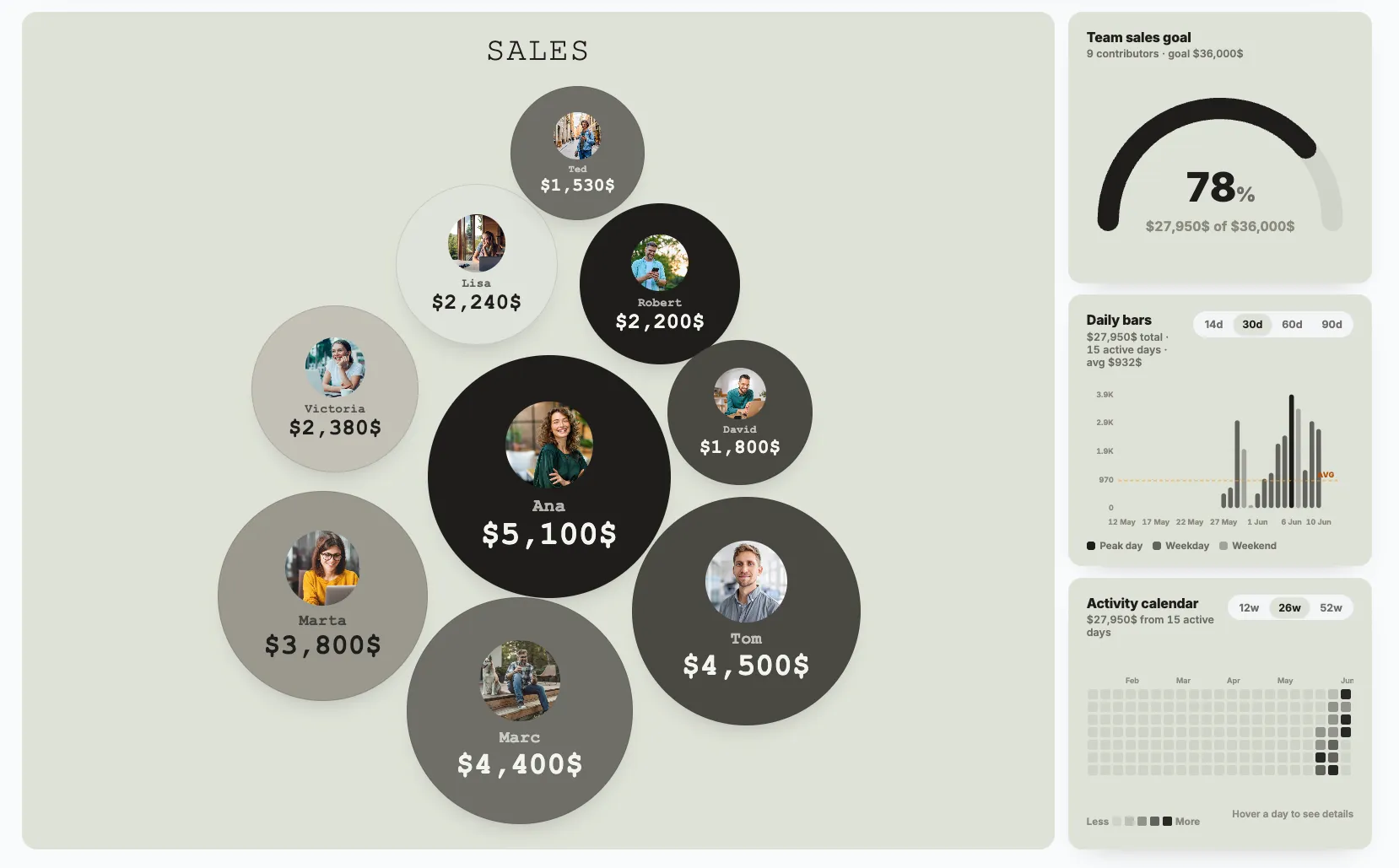
Because every closed deal is pushed straight from a Flow, the progress-to-target view never drifts from your CRM. Set monthly, quarterly or annual quotas and watch each rep's bar fill the moment an Opportunity hits Closed Won.
- Individual quotas per rep or shared team target
- Always in sync - the source is your Salesforce Flow
- Color-coded progress bars (red → orange → green)
- Auto-rollover at end of period
See exactly who's carrying the Salesforce number.
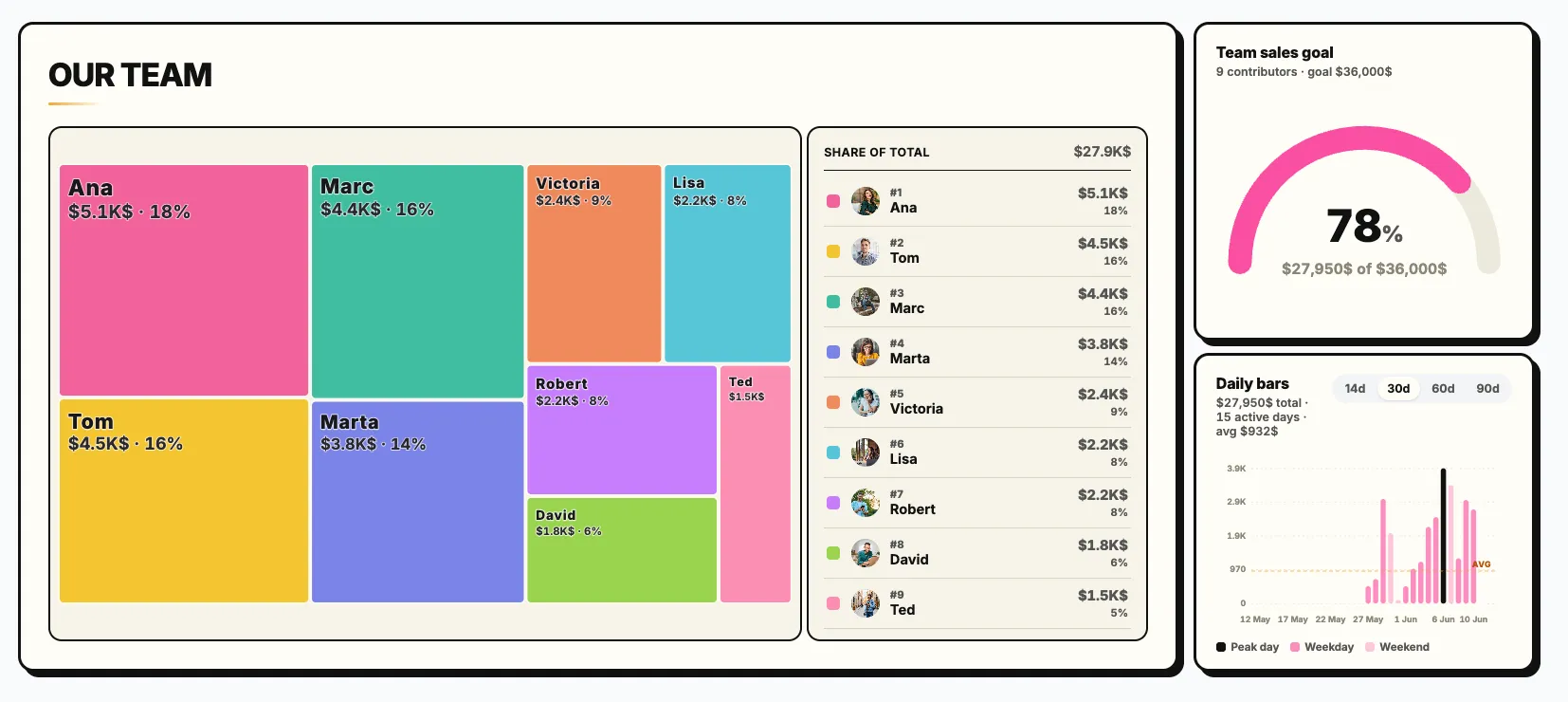
The share-of-total view sizes every rep by the revenue their Flow has pushed, so the whole team can see who's pulling the quarter - and who needs a coaching nudge. Mix revenue, deals closed or activities logged across as many boards as you like.
- Each rep sized by their share of Salesforce revenue
- Ranked list with exact amounts and percentages
- Run multiple contests off one Salesforce trigger
- Bold, color-coded tiles built for the office TV
However your team runs Salesforce, the board keeps up.
From outbound SDR rooms logging activities to enterprise AE teams closing six-figure deals - if Salesforce knows the number, a Flow can push it to the board.
Closed-Won Revenue Race
A record-triggered Flow on Opportunity Closed Won posts the Amount. The board re-ranks the instant the deal lands - no manual update.
Office TV Dashboards
Display the live Salesforce revenue board on office TVs. Real-time updates over WebSocket - no browser refreshing needed.
Activities Logged Racing
Fire on Task / Event creation in Salesforce. Gamify calls, emails and meetings logged and watch activity counts climb.
Flow & Process Builder
Build a Flow or Process Builder process with an HTTP callout or outbound message. Point it at BoardQ and the leaderboard updates live.
Zapier (No Code)
Use Zapier's Salesforce trigger plus a Webhooks action to POST the deal to BoardQ - no Apex, no callouts, works on any edition.
Region & Team Battles
Tag the Flow by Owner Role or region and pit teams against each other. Perfect for QBRs, President's Club and annual kickoffs.
New-Hire Ramp Tracking
Trigger on a new rep's first Closed Won, first logged call, first meeting. Celebrate ramp milestones publicly from day one.
Only the Score Leaves
Your Flow chooses exactly which field is posted. No account, contact or pipeline data ever leaves Salesforce - just a name and a number.
One Flow callout and you're on the board.
Don't make your reps update a second tool. Don't make RevOps export from Salesforce. A record-triggered Flow with an HTTP callout (or an outbound message, or Apex) posts the rep and the Amount the instant a deal hits Closed Won. Prefer no code? Zapier's Salesforce trigger does the same thing.
- Salesforce Flow - record-triggered HTTP callout on Closed Won
- Process Builder / Apex - outbound message to the BoardQ endpoint
- Zapier - Salesforce trigger + Webhooks action, no code
- Only the score leaves - your Flow picks the field
# Salesforce Flow HTTP Callout - fires on Opportunity Closed Won
POST https://api.boardq.io/v1/scores
# Headers (set in the Flow named credential)
"Authorization: Bearer {!$Credential.BoardQ.Token}"
"Content-Type: application/json"

# Body - map Opportunity fields to the payload
{
    "board_id": "q4-revenue-race",
    "participant": "{!$Record.Owner.Name}",
    "score": {!$Record.Amount},
    "unit": "$"
  }

# 200 OK - rep re-ranks live on every office TV.Everything your sales floor needs. Nothing your org doesn't.
☁️ Fires from a Flow
A record-triggered Flow with an HTTP callout posts the score. No managed package, no AppExchange install, no sync job.
🔄 Real-time updates
The callout fires on Closed Won and the board updates live over WebSocket on every screen - office TV refreshes instantly.
📺 Built for the office TV
Full-screen, high-contrast themes designed to be readable from across the sales floor.
🎛️ Push any field
Map Opportunity Amount, a deal count, or activities logged into the payload. The Flow decides what the board ranks on.
🎨 Custom branding
Upload your logo, pick your colors. Make the board feel like it belongs in your office, not someone else's.
🔌 REST API + Zapier
Skip the callout entirely with Zapier's Salesforce trigger, or call the REST API straight from Apex or a backend.
🔒 Only the score leaves
BoardQ never reads Salesforce. Your Flow sends one name and one number - nothing else leaves the org.
📱 Works on every device
Reps check standings from their phone between meetings. Works in any browser, no app to install.
Not ready to wire up a Flow? Start manual.
You don't need the Salesforce integration to start. Spin up a clean board, add your reps, and type in totals - then swap to a Flow callout when you're ready. Same board, automated later.
Pick a template →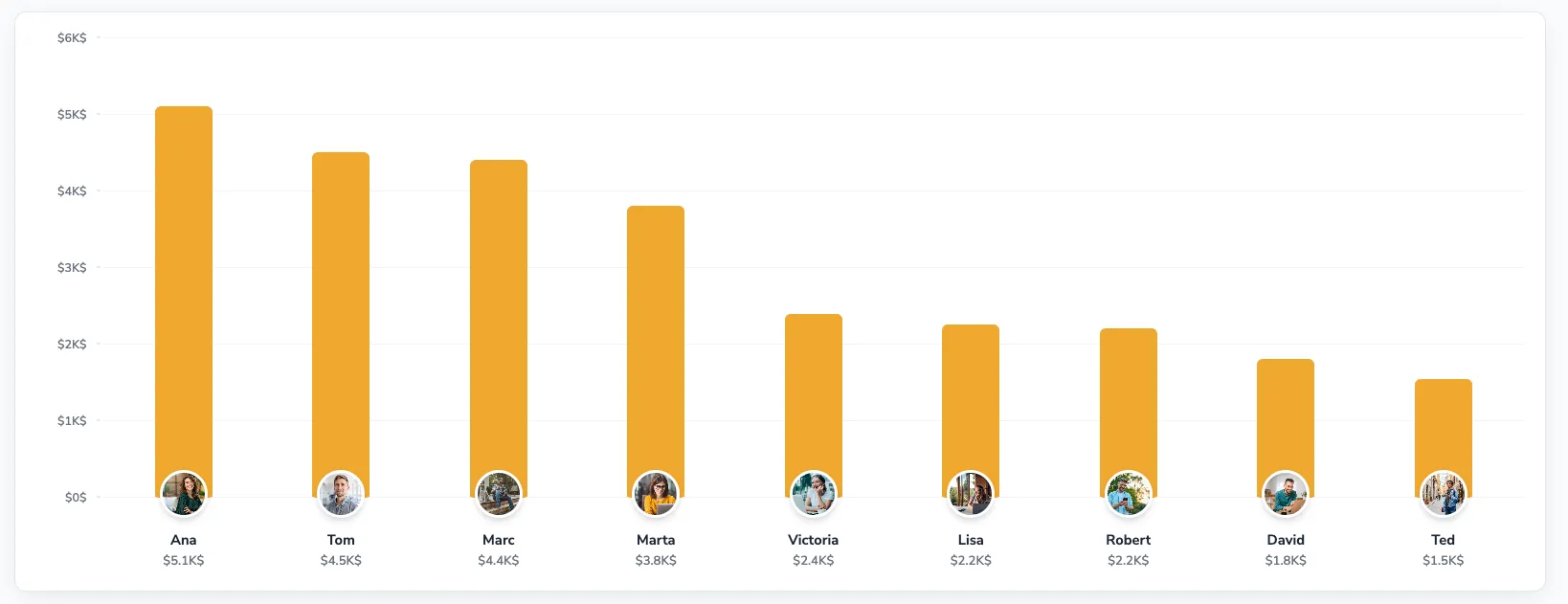
“We built a record-triggered Flow on Closed Won in an afternoon. Now every deal lands on the sales floor TV the second it's marked won - and the board never drifts from Salesforce.”
Salesforce questions.
How do I connect Salesforce to BoardQ?
BoardQ exposes a REST API that accepts a JSON POST. The simplest path is a Salesforce Flow with an HTTP callout (or outbound message) that fires on a record change and posts the rep name and Amount to BoardQ. You can also route it through Zapier or call the API from Apex. No managed package to install.
Does it work with Salesforce Flow or Process Builder?
Yes. Build a record-triggered Flow (or a Process Builder process / Apex outbound message) that calls an HTTP endpoint when an Opportunity is updated. Point it at the BoardQ scores endpoint with a bearer token. Prefer no code? Zapier's Salesforce trigger plus a Webhooks action does the same thing.
Can I trigger on Opportunity Closed Won?
Yes - that's the most popular setup. A record-triggered Flow that runs when Stage changes to Closed Won posts the Opportunity Amount to BoardQ. The rep jumps up the board the moment the deal lands. You can also push deals closed or activities logged instead.
Do I need a specific Salesforce edition?
Any edition that supports Flow with HTTP callouts, outbound messages, or Apex works - that covers most paid editions. If your org can't make outbound callouts, route the trigger through Zapier's Salesforce integration instead, which works regardless of edition.
What Salesforce data leaves my org?
Only the score you choose to push. A typical payload is a participant name and a number - an Opportunity Amount, a deal count, or an activity total. BoardQ never connects into Salesforce or reads your data; your Flow decides exactly which field leaves the org.
Is the Salesforce leaderboard free?
Yes. The free plan includes 2 leaderboards with unlimited participants, real-time updates, all themes, and REST API access - enough to wire up a Flow and put a live revenue board on the office TV. Premium starts at $8.99/month for unlimited boards and custom branding.
Your Salesforce revenue can be on the wall in minutes.
Free to start. Unlimited reps. No credit card, no managed package. Wire up a Flow when you're ready - or start manual today.
No setup fee · No contract · Cancel anytime